
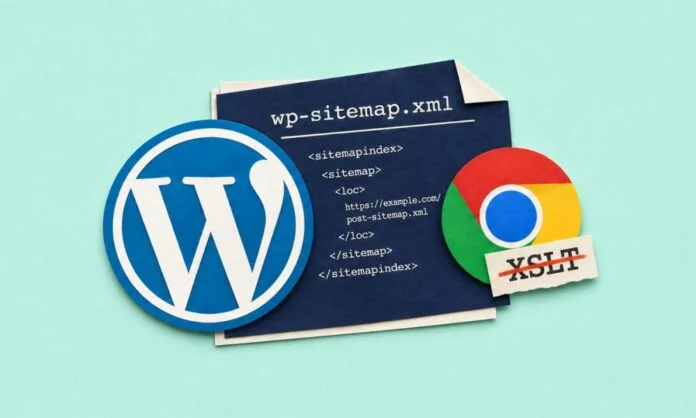
Chrome 158 removes XSLT (Extensible Stylesheet Language Transformations) from November 17, 2026. XSLT is a language used to transform XML documents into other formats such as HTML. Opening a sitemap now shows raw XML code, which looks broken instead of a neat table. The change affects how browsers display XML sitemaps and other XML-based documents, mainly those generated by WordPress and popular SEO plugins.
For many years, WordPress core and popular SEO plugins such as Yoast SEO, Rank Math, and AIOSEO have used XSLT stylesheets to convert raw XML sitemap data into readable, clickable tables. With Chrome 158 removing XSLT support, users who open sitemap URLs will now see raw XML markup instead of a structured view.
Does This Affect SEO, Crawling or Rankings?
The good news is that the change does not affect search engine crawling, indexing, or ranking. Search engines like Google read XML directly, including URL and modification date information, without relying on browser-based stylesheets. So, website owners shouldn’t rush into any SEO-related changes.
How to Check Which Sitemap You are Using?
Based on your site configuration, WordPress generates its sitemap index from one of two primary URLs:
For WordPress core sitemap: /wp-sitemap.xml
For SEO Plugins:
- AIOSEO: /sitemap.xml (commonly used)
- Rank Math: /sitemap_index.xml
- Yoast SEO: /sitemap_index.xml
You can also verify sitemap health through Google Search Console by navigating to Indexing > Sitemaps. A green “Success” status indicates that Google can process the submitted sitemap correctly.
As for platform updates, WordPress 7.2 will be released on December 8, 2026, and it is planned to remove XSLT stylesheet from the core. Yoast SEO 28.9 removes the XSLT stylesheet from XML sitemaps and introduces CSS-based styling. In Yoast SEO v28.9, the formatted sitemap view is going to be achieved via CSS-based styling instead of XSLT. For now, neither Rank Math nor AIOSEO have announced any changes to replace stylesheet file path located at, wp-content/mu-plugins/disable-sitemap-xsl.php.
The following steps, based on the website owner’s requirements, use CSS-based styling to retain the formatted sitemap view.
- For website owners, the right approach is to leave production XML sitemaps alone.
- For those who need human-readable website navigations, they can create a dedicated page such as /sitemap in the WordPress Block Editor using the Page List Block, Categories block, or Latest Posts block.
- If you use WordPress core’s built-in /wp-sitemap.xml and need to remove the reference to the XSLT file, make sure to add a lightweight plugin at wp-content/mu-plugins/disable-sitemap-xsl.php.
Ultimately, Chrome’s decision is part of a broader push away from older web technologies due to security concerns. Chrome 158’s deprecation of XSLT support affects how sitemaps render in human browsers. Search engine crawlers process XML directly and are not affected by this update. Organic performance, indexing, and ranking also remain unchanged.
Want to stay updated on trending news in the tech landscape? Visit our website now.
Also Read:
What Is llms.txt and How Can It Future-Proof Your Website for LLMs?