

Imagine you are working on an important project on your personal computer. You have your main documents saved safely on your hard drive. But on your desk, you also have a notepad. You use this notepad for quick calculations, to jot down temporary ideas, or to sketch out a draft. It is fast, it is right there in front of you, and it is super handy for the work you are doing right now. But you wouldn’t store your final report there overnight; it is a temporary space. In the world of cloud computing, instance storage is exactly that: your cloud server’s own personal, high-speed notepad.
“The truth is that in the world of cloud computing, Instance Storage is exactly that, an instance’s own fast notebook, in essence, its own personal notepad.”- Paul Schn
What is Instance Storage?
When you lease a cloud server, commonly referred to as a virtual machine, “instance,” you need storage for your operating system, applications, and data. Cloud vendors provide various forms of storage for these purposes.
Instance storage is a form of storage that is physically connected to the actual computer (server computer) upon which your cloud instance is hosted. This is not a separate hard drive that is connected to your computer over a network; this is a feature that is exclusively connected to your instance.
Because this is a direct connection, this feature has blazingly fast speeds when it comes to inputs/outputs. This is just a technical term that says that your reads and writes are basically instantaneous. Yet, this pace and direct connectivity come with a price: this connection is only temporary.
The Key Characteristics: Why Use It?
Instance Storage can be likened to the RAM of your personal computer, but instead of holding running programs, it holds files. This is how it can be defined:
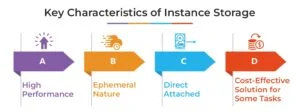
- High Performance: This is the greatest feature. Since the storage disks are directly connected to the server’s motherboard, the performance is exceptional. This is the greatest feature since the storage disks for this server are directly connected to its motherboard.
- Ephemeral Nature: This is the most important thing you have to understand. Instance Storage is ephemeral storage. So, this means that the data is guaranteed only until the instance is up and running. When you choose to stop, reboot, or end your cloud instance, the data stored in Instance Storage is once and for all deleted. It’s like having a brand new machine waiting for the next user of that hardware.
- Direct Attached: It is not shared. The storage is directly attached to the host system, offering low latency. There will be no network latency issues in accessing this storage.
- Cost-Effective Solution for Some Tasks: In most cases, cloud service companies offer a certain amount of Instance Storage as part of the instance itself. Thus, for short-term processing work, it can prove to be quite cost-effective.
When Should You Use Instance Storage?
You would not store your birth certificate on a notepad. Similarly, there are particular temporary tasks where you make use of Instance Storage. These are the perfect examples of how you can implement it:
- Cache or Scratch Space: Think of an image/video rendering utility. During the execution of a large 4K video file, it requires fast storage space to hold the frames, audio files, and effects before assembling the final output. Utilizing Instance Storage in this task greatly accelerates the operation.
- Buffer for Applications: Temporary space in databases can be employed to store the results of queries or transaction logs until the final commit. Instance storage provides the ultimate low-latency buffer.
- Temporary Processing of Large Files: A company that performs data analytics could download a large file of 1TB from a secure source for analysis. The process entails downloading the large file from the source into the instance storage, performing complex calculations and transformations at a high-speed rate, followed by storage of the final results and deletion of the original file from the Instance Storage.
- SWAP Space: In the event your cloud instance is running low on memory, the OS can utilize a portion of the quick Instance Storage for “virtual memory” or SWAP space in order to prevent the system from crashing. This is not as common an occurrence when there is ample memory.
Comparison between Instance Storage and Persistent Storage
This is where many cloud users get confused. Let’s understand
Feature |
Instance Storage |
Persistent Storage |
| Data Persistence | Temporary. Data is lost on instance stop /terminate. | Permanent. Data persists independently of the instance’s life cycle. |
| Performance | Very High. Direct-attached, low-latency. | Good to high. Network-attached, so slightly higher latency. |
| Durability | Low. Tied to one physical server. | Very high. Usually replicated across multiple devices/facilities. |
| Primary Use Case | Scratch space, caches, temporary processing. | Operating system, application files, databases, long-term data. |
| Cost Model | Includes instant price. | Priced separately based on size and input/output operations. |
| Flexibility | Cannot be detached or easily resized. | Can be detached, re-attached to other instances, and easily resized. |
The Simple Analogy: Think of instance storage as the non-persistent RAM memory in a computer, as well as a fast USB drive connected right to the motherboard. You could think of persistent storage as an external hard drive that you could plug from one computer into another while leaving the files intact.
Real-Time Example: Weather Forecasting Model
A weather forecasting
Let’s consider a recent and relevant example. The India Meteorological Department or IMD operates complex models to forecast the weather. Suppose they create a strongly performing cloud instance to forecast the route of a particular cyclone.
- Firstly, they fetch enormous amounts of historical and prevailing weather information (sea temperature, wind pressure, etc.) from a permanent storage facility.
- This terabytes-sized data can then be easily loaded on to the fast Instance Storage available on the instance.
- The software does thousands of calculations and is constantly reading and writing results to this local storage.
- Once the model is finished, only the final forecast report, a much smaller file, is written back to permanent storage.
- The cloud instance is terminated. All raw data and temporary files residing in the Instance Storage are cleared out, and the equipment is then ready for the next scientific computation. Use of the Instance Storage made it feasible to do an intensive computation within a very short time window, which is important when it comes to disaster preparation.
Best Practices and Notable Warnings
- Never Store Your Only Copy Here: “Rule number one is never store your only copy here,” it reads. Data on an Instance Store is considered ephemeral data and can be considered disposable. Your app code and data, along with the databases, have got to be stored on some sort of networked storage solution.
- Automate Your Backups: If your app is required to utilize instance storage due to performance issues, you can design it to frequently back up important results to persistent storage.
- Understanding the Terms of Your Cloud Provider: Instance Storage may work differently depending on the cloud provider. In one, the data will survive a reboot, but not a stop, and the other will delete all data when terminated. Read the terms and conditions provided by the provider.
- Employ It For Its Strengths: You can use Instance Storage for speeding up your apps, but not for storing business-critical information. It is meant to be an accelerator and not an archive.
Final Words!
Instance storage is a very important concept in cloud computing. This concept of Instance Storage, in fact, has not been a bug but a very useful feature for specific types of tasks that are highly performing but temporary in nature. Understanding what this concept of Instance Storage actually entails, incredibly fast but temporary, is very important for architecting cloud-based apps that are both performing and reliable.
Be careful when using your cloud server’s instance storage for brainstorming/ideas, mathematical calculations, or quick writing tasks that require speeds of light processing power and speed when research brainstorming is underway. However, always store your final and critical work from research projects or writing tasks inside a protected and secure cabinet.
To learn more, visit YourTechDiet!
FAQs
Q1. What are instances used for?
Answer: Running applications and workloads on virtual servers.
Q2. What is instance store storage?
Answer: Temporary, high-speed storage directly attached to an instance.
Recommended For You:
Top Cloud Storage Future Trends
Different Types of Cloud Storage Models: An In-Depth Overview