
Working from anywhere, anytime has become the new normal. There’s a need for effective collaboration between the teams to drive maximum impact. In recent years, we have seen a major shift in how teams work together. Here’s where AI collaboration tools come into the picture! They help teams to communicate, automate, and complete any task, whatever it may be.
From drafting emails to help you plan a solid campaign, to fixing bugs in code, to managing teams’ tasks, these collaboration tools make your job easier. Finding the right collaboration tool is not an easy task. To make it simple on your side, we’ve curated a list of the top 10 AI collaboration tools that will help boost your team’s work productivity and drive your organization’s business forward.
An Overview of AI Collaboration Platforms
An AI collaboration tool combines the power of artificial intelligence to enhance teamwork. It goes beyond traditional collaboration platforms and offers a range of features, including task scheduling, online storage, file sharing, real-time project collaboration, insights, and more.
These tools aim to reduce repetitive manual work, improve communication, and allow teams to work together towards a big goal.
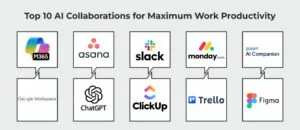
Top 10 AI Collaborations for Maximum Work Productivity
1] Microsoft 365 Copilot
Microsoft 365 Copilot is one of the most popular AI collaboration platforms used by billions of users worldwide. It allows users to generate documents in Word and Excel, create PowerPoint presentations, and communicate and collaborate in Teams.
With the Copilot feature, teams can get assistance regarding their work using natural language prompts. Additionally, the Microsoft 365 Copilot feature can be integrated easily into your everyday workflows, allowing users to save time, automate repetitive tasks, summarize information, and do more.
Key Features:
- Integrates across Microsoft 365 tools
- Helps in improving productivity and decision-making
- Meets stronger security and compliance
Ideal for:
Large-scale enterprises using Microsoft 365 and looking for an AI-powered productivity and collaboration platform.
Pricing:
- Free for all users with a Microsoft 365 subscription
- Microsoft 365 Copilot Business costs $18/month
2] Asana
Asana is another efficient teamwork and task management platform that assists teams in streamlining their overall processes, enhancing productivity, and keeping track of their progress. It is remote-work-friendly and provides a centralized dashboard where distributed teams can manage tasks, dependencies, and more. Asana comes with all the top-notch AI features including smart deadline reminders, automatic follow-ups, and insights to find bottlenecks and optimize resources.
Key Features:
- Make use of the Gantt-style timeline to see progress and offer transparency to the entire team.
- Can be integrated with 100+ third-party tools
- Efficient resource management
Ideal for:
Small to large teams looking to manage complex projects, remote teams, or organizations that need a clear view of the task progress.
Pricing:
- Personal plans are free for one or two users.
- The Starter plan is for a growing team costing $10.99/user.
- Advanced Plan costs $24.99 per user
3] Slack
Slack is another popular AI collaboration platform that lets productivity fit into your workflow. Chat with the Slackbot, your personal AI agent, summarize channels, and threads, automation in just a few clicks. Teams can cut through the noise, get key insights, and collaborate across distributed environments efficiently.
What makes Slack stand out is its central collaboration layer that connects tools like Microsoft Teams and Google Chat alternatives, with a highly flexible and integration first approach. Slack has become the everyday companion of your team’s busy workday.
Key Features:
- Search everything in Slack with enterprise search
- Thread summaries and Canvas for collaboration
- Pick from 2600+ apps to unify tools
Ideal for:
Distributed teams looking for team collaboration
Pricing:
- Free plan available
- Paid plans start at $4.38/user/month
4] Monday.com
Monday.com is one of the best AI work platforms for your teams to deliver results. Around 250k+ users currently use this platform to manage their work. It comes with a range of top-notch features such as personal AI assistant, automate repetitive tasks, and streamline project execution with less manual effort. The platform uses AI to analyze risk, build your own app, projects, and more. If you’re a large team looking to manage complex projects and collaboration, this tool is for you.
Key Features:
- Get access to AI-powered products
- 850+ integration across tools and apps
- Real-time dashboards and reports
Pricing:
- Free plan available
- Paid plan starts at $9/month
5] Zoom AI Companion
Zoom AI Companion is your true AI companion that lets teams deliver better at work. It enhances meetings by helping you take notes, getting a meeting summary, and surface insights that matter the most. Alongside, you can generate content and reduce the hassle during post meetings. This platform is ideal for remote and hybrid teams; it turns conversations into structured outputs that can be shared and acted upon.
Key Features:
- Accesses real-time web data
- Integrates with Zoom Workplace and other platforms
- Helps uncover important insights from conversations
Ideal for:
Teams looking to boost meeting productivity
Pricing:
Included with eligible Zoom paid plans
6] Google Workspace
Google Workspace is an all-in-one collaboration tool that brings together Docs, Drive, Sheet, Calendar, Chat and more in one place. Teams can collaborate, and contribute equally regardless of their location, and meet their desired work goals. Alongside, with Gemini AI, you can generate content, summarize documents, and do much more with the standout AI capabilities.
Key Features:
- Helpful tools for your teams to work
- Centralize file storage and sharing
- Live editing, document sharing
Pricing:
- Free plan available
- Base plan starts at $7/user/month
7] ChatGPT
ChatGPT with millions of users worldwide is one of the top AI collaboration platforms. It’s an AI assistant that comes with a wide range of features and functionalities to help you complete everyday tasks. Users can communicate in natural language, ask questions, get help in coding, summarize, draft documents, and more. ChatGPT enables faster work and quicker decision-making, saving you time.
Key Features:
- Natural language interaction
- Quick insights, content, summaries
Ideal for:
- Content curation
- Problem-solving and research
Pricing:
- Free plan available
- Paid plans start at $20/month
8] ClickUp
ClickUp is an ideal platform for your work, team, app, and more. It’s an all-in-one workspace that combines docs, dashboards, and tasks with AI via ClickUp Brain. ClickUp is a productivity and project management tool that works in one place.
With advanced integrations and automation (including tools like Zapier), ClickUp connects your entire tech stack, helping teams streamline workflows and stay aligned without manual effort.
Key Features:
- ClickUp Brain for quick insights
- Autopilot Agents for repetitive task automation
Ideal for:
- End-to-end project and task management
- AI-powered workflow automation
- Centralizing multiple tools in one workspace
Pricing:
- Free plan available
- Paid plans start at $7/user/month
9] Trello
Start unleashing your productivity with Trello. It’s a productivity and collaboration tool that lets you stay efficient and organized with Planner, Boards, and Cards, making it easy to track tasks and projects. You can also customize how you organize integrations and automations for your main tasks across different locations.
Key Features:
- Automate tasks with Trello
- Capture details from your inbox
Ideal for:
Project and task management
Pricing:
- Free plan available
- Paid plans start at $5/user/month
10] Figma
If you are into designing, this tool is for you. Figma lets you code, prompt, and design the product. It allows real-time collaboration on UI/UX prototypes. At the same time, teams can work on, comment on, and make changes to the same file, making project work easier. There are on-brand templates. Alongside, you can share libraries and design systems with your teams.
Key features:
- Live editing and commenting of multiple users
- AI-assisted layouts and design consistency
Ideal for:
- UI/UX design and prototyping
- Real-time design collaboration
Pricing:
- Free plans available with limited access
- Collab seat plans start at $3/year
Final Takeaway on AI Collaboration Tools!
AI has become the center stage of every task today, making work simpler, effective, and faster. As teams require a platform for efficient collaboration, AI-powered platforms are best. They automate repetitive tasks, improve communication, and help boost overall work productivity.
No matter if you need to discuss a production issue, discuss ideas, or catch up on a meeting, the right AI tool can be your best companion. Make sure you pick the right platform that aligns with your work goals and upskills your journey towards smarter productivity!
To check out more informative blog topics, visit our site now!
FAQs
1] What are the 5 pillars of AI?
Answer: The five pillars of AI are: Machine Learning, Computer Vision, Natural Language Processing, Perception, and Reasoning.
2] Which AI collaboration tool is ideal for remote teams?
Answer: Some of the popular AI collaboration tools for remote teams are Microsoft Teams, ClickUp, and Slack. They come with a range of communication and AI automation features.
3] What features should you look for while choosing an AI collaboration platform?
Answer: To ensure maximum productivity in your work, make sure to look for features such as automation, real-time collaboration, AI assistants, ease of use, and pricing.
Recommended For You:
Claude Haiku 4.5 vs Claude Sonnet 4.5: Picking Your Perfect AI Partner