
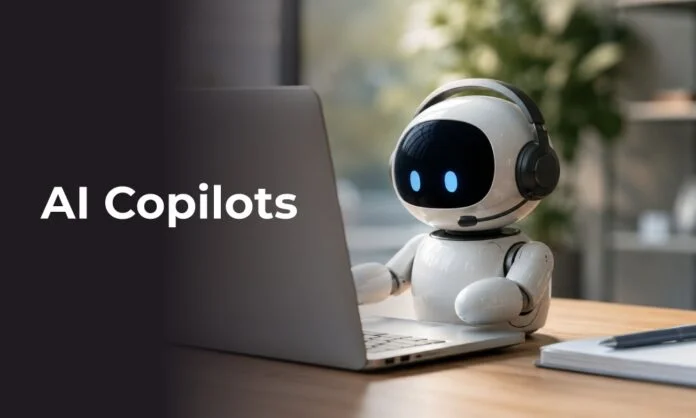
A few years ago, Copilot meant your phone helping you autocomplete sentences. But today, the term copilot is often seen as an everyday AI tool built into your email, CRM, code editor, or spreadsheet to help you get your work done.
AI copilots are evolving from simple software features into digital coworkers that support everyday business workflows.
Enterprises are no longer just experimenting with AI technology. They are integrating it into everyday workflows, from sales and customer service to software development and financial analysis. Copilot is becoming a common feature in everyday use.
The key is understanding what these digital coworkers actually do and where they are useful.
What Is an AI Copilot?
An AI Copilot is a generative AI tool built into software to help people complete specific tasks. This makes it different from a general-purpose AI chatbot.
A standalone chatbot usually requires employees to open a separate tool, explain what they need, and ask a question. A Copilot is generally built into the software employees already use. It can use information from the app, the user’s request, and connected business systems to provide more relevant help.
For example, Microsoft 365 Copilot works with Microsoft 365 apps and company content. It can use emails, chats, documents, and meeting information that the user has permission to access.
This makes AI Copilots useful for repetitive tasks and workflows that require finding and using large amounts of information. Instead of asking AI a random question, you can use it to help complete your work.
An AI assistant for employees can summarize long emails, create action items from meetings, draft reports, and help analyze spreadsheet data. The ultimate goal is to reduce time spent on repetitive and time-consuming tasks.
Why Enterprises Are Adopting AI Copilots
Several practical factors are driving enterprise AI copilot adoption.
Improve Employee Productivity: Enterprises want employees to spend limited time on repetitive tasks and focus more on work that requires expertise and judgment.
Reduce Switching Time Between Apps: Employees use many tools every day. They often switch between email, documents, CRM platforms, project-management tools, and communication apps. AI copilot built into these tools can help make that process smoother.
Growing Demand for AI-powered Tools: As employees become more comfortable with generative AI, they increasingly seek AI features in their everyday work tools.
Faster Access to Enterprise Information: Enterprise AI can make it easier for employees to find and use information across approved business systems.
These are the reasons AI copilots are becoming part of the everyday workplace. The question is not whether AI saves time. Enterprises also need to know whether it improves the overall workflow.
Microsoft Copilot: A Major Enterprise Example
Microsoft has made AI Copilots a major part of its workplace software.
Microsoft Copilot enterprise offerings make AI available in everyday business workflows. Microsoft 365 Copilot works along with Word, Excel, PowerPoint, Outlook, and Teams. Employees can get AI directly into the tools they already use. It can also work with company content that the user is authorized to access.
Here’s how this can work in everyday business tasks:
| Application | Common Copilot Task |
| Outlook | Summarize emails and draft replies |
| Word | Create, rewrite, and summarize documents |
| Excel | Suggest formulas and find insights in data |
| Teams | Summarize chats and meetings |
| PowerPoint | Create presentations from prompts or documents |
These features can vary based on the organization’s plan, setup, and the Copilot available in each app.
The key benefit is that Copilot works inside the workflow. Employees do not always need to copy information into a separate AI tool.
AI Copilot Alternatives for Enterprises
Microsoft may be a major player in enterprise AI, but it is not the only one. Many software companies are adding AI features to the tools employees already use.
Salesforce: AI helps with CRM, sales, and customer service tasks.
GitHub Copilot: Assists developers write, understand, and improve code.
Notion AI: Helps with writing, documentation, and workspace content.
Zoom AI Companion: Helps with meetings, communication, and related tasks.
ServiceNow: Uses AI to support enterprise service-management workflows.
Google Gemini: Provides AI assistance across Google Workspace apps, including Gmail, Docs, Sheets, and Meet.
Salesforce Agent force: Helps automate and support CRM and customer service workflows.
Glean: Helps employees find and use information across different enterprise applications.
AI coworker tools are becoming part of the enterprise software employees already use, instead of working only as standalone chatbots. Employees may use different AI tools for business tasks.
AI Copilot Use Cases and Examples for Enterprise
Common AI copilot use cases focus on repetitive and time-consuming business tasks.
Customer support: Summarize cases, find relevant information, and draft responses.
Sales: Prepare customer briefs, summarize interactions, and draft follow-up emails.
Software development: Write code, explain functions, and create tests.
Finance: Analyze data, summarize reports, and prepare routine updates.
Marketing: Research topics, create campaign briefs, and draft content.
Employee onboarding: Find company information, policies, and internal documentation.
Enterprise search: Find information across different workplace systems.
Where Enterprise Copilot Adoption Gets Complicated
Data governance
Enterprise Copilots are more useful when they can access relevant enterprise information. But this also makes data permissions and governance important.
Microsoft’s documentation states that Microsoft 365 Copilot only shows information that users already have permission to access. Existing access controls still play an important role.
AI also does not fix poor data practices. If employees already have access to the wrong information or company data is outdated, AI does not solve these problems on its own.
Trust and verification
Generative AI can produce convincing answers that contain errors. Therefore, employees need to verify AI-generated information, especially when handling sensitive company data.
Measuring ROI
Employee satisfaction alone does not show whether a Copilot is creating business value.
Companies can track measures such as:
- Time spent on specific workflows
- Task completion rates
- Employee adoption
- Quality or error rates
- Customer response times
- Reduction in repetitive work
AI Copilots Work Alongside Employees
A common misconception is that Copilots need to replace human work to be valuable.
Instead, AI can handle routine parts of a task while employees handle the parts that require judgment.
- AI can draft an email. The salesperson decides whether it is right for the customer.
- AI can summarize a contract. The lawyer reviews the important details.
- AI can flag unusual financial data. The analyst investigates the change.
- AI can suggest code. The developer tests and reviews it.
The goal is not to replace human judgment. It is to help people work more effectively.
Wrapping Up
AI Copilots are becoming a regular part of workplace software. But simply using AI does not guarantee better results. enterprises need to choose the right tasks, protect their data, train employees, and track results. The real question is which tasks AI should handle and where human judgment still matters.
For more such information follow our official website now!
FAQs
1. What is an AI Copilot?
Answer: An AI Copilot is an AI-powered workplace assistant that helps employees with tasks such as writing, research, analysis, summarization, coding, and information retrieval while keeping people involved in the workflow.
2. How are AI agents different from AI Copilots?
Answer: AI Copilot: Works with a person. It helps with tasks while the person reviews and controls the work.
AI Agent: Can work on its own. It can make decisions and complete tasks with less human involvement.
3. Are AI Copilots safe for enterprise use?
Answer: AI copilots can be safe for enterprise use, but security depends on how they are set up. Businesses need strong access controls and clear data rules. They also need monitoring and employee policies in place.
Recommended For You:
9 Best Microsoft Copilot Features You Should Use at Work to Boost Productivity