
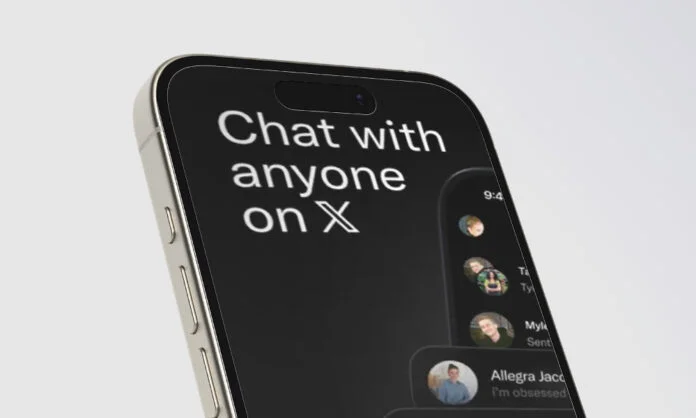
Lately, there has been an immense rise in concerns about data privacy and secure communication amongst users. With billions of users relying on WhatsApp for everyday chats, a strong competitor, XChat, has been recently introduced. What’s it exactly?
The good news is, X (formerly Twitter) has launched a privacy-focused, secure, and simple conversation space for people who value speed, privacy, and control. How about starting a private conversation with your close friends for business discussions or other purposes?
XChat app is for you! With end-to-end encryption, secure PINs, disappearing messages, and more. It’s here to change the way users communicate in a secure, private environment.
Continue reading the blog and understanding everything about XChat, including its features, setup, limitations, and more!
What is XChat Exactly?
XChat is a dedicated and standalone messaging app launched by Elon Musk’s X on April 24, 2026. It’s completely privacy-focused, offering end-to-end encryption, one-on-one chats, group conversations, file sharing, and voice calls all in one place. This stands as a great alternative to Meta’s WhatsApp, and lets you chat with anyone on X.
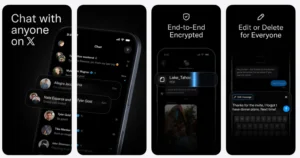
The privacy-focused space comes with a direct messaging feature, “Chat!” It comes with a range of standout features, including end-to-end encryption, disappearing messages, screenshot blocking, group calls, and more. The app is currently available for iOS devices, with Android availability planned soon. Alongside, XChat is simple and straightforward to set up. You can kickstart private conversations with ease by following just a few simple steps.
Some of the Key XChat Features
Here’s a look at the key features that make the app worth using!
1] Sharing large photos, videos, or files: Users can share large photos and videos and participate in the group with around 350 members. It surpasses other platforms in this aspect.
2] End-to-end Encryption: All chats are encrypted end-to-end, which means only the desired recipient can read the message. Alongside, there is a key pair, protected by a PIN that can never leave your device.
3] No Phone Numbers Required: Users do not require a phone number, unlike WhatsApp, Telegram, or other apps, to sign in to the messenger. Users can get started easily with their existing X account.
4] No User Tracking: One of the noteworthy features is that XChat does not track your behavior, usage patterns, and show advertising in between.
5] Edit or delete a message on both sides: Similar to other messaging platforms, XChat offers the functionality to delete a message on both sides, meaning for everyone in the conversation.
6] Blocking Screenshots: The feature is designed to maintain privacy during private conversations.
7] Call Anyone: You can call anyone and start communicating with voice or video calls across any device.
Privacy and Security in XChat
XChat comes with privacy-focused features. All chats are end-to-end encrypted, ensuring only senders and recipients can read messages. This encryption applies to files, media, calls, and more. Alongside, there is a PIN for enhanced protection, which is unique to you. The app comes with a messenger Chat. When a user opens Chat for the first time, X generates a public-private key pair for every user.
In addition, the privacy-focused app collects minimal user data, reducing the risk of misuse or breaches. It also offers the following security features:
- Disappearing messages
- Screenshot protection
- End-to-end encryption
- Stealth Mode
Together, these features make the messaging platform a strong contender for users who prioritize privacy, data protection, and secure digital communication.
Steps to Download XChat on iPhone or iPad
Following are the simple steps mentioned users can follow:
- Open the App Store on an iPhone or iPad
- Enter “XChat” in the search bar
- Choose the app from the results
- Tap Get to start downloading
- Authenticate using FaceID, TouchID, or Apple ID password
- Wait for the installation to complete
You’re done!
Getting Started with XChat: Step-by-Step Tutorial
It’s pretty simple to get started with XChat and takes a few minutes.
Step 1: Download the App
Go to your device’s app store and search for XChat. Download and install the app on your device.
Then, tap the XChat icon on your home screen. Upon launching the app for the first time, you will get to see a welcome screen with core features displayed:
Step 2: Sign in with X Account
The app will ask you to log in with your X account. You can follow the below login process:
- Click on the “Sign in with X account” button
- Enter your login credentials
- Authorize XChat to access your information
Step 3: Security Setup: PIN Generation
This is an important step in getting started with messenger. After you log in to the X account, you need to create a PIN code for security.
- The PIN code protects your encryption key
- Make sure to set a strong PIN
- Confirm the PIN and click OK
Step 4: Grant Permissions
After you set up the PIN, the app will prompt you to import your contacts. Further, you can complete the necessary privacy settings, grant permissions, and complete the initial setup.
Step 5: Start Chatting
Tap on the compose button, select the contact, and start an encrypted conversation. When a user starts chatting for the first time, a private-public key pair is created for each user.
How About Availability?
- The platform is currently available on iOS devices, including iPhone and iPad.
- Support for Android devices will be coming soon.
Compatible Devices
- iPhone running iOS 26.0 or later,
- iPad 26.0 or newer versions
So, Who Can Use XChat App?
Anyone who needs a secure and trusted messaging platform can use WhatsApp. As discussed, this messaging app offers a range of exceptional features that make it a go-to platform for day-to-day chats.
Some of the Known Limitations!
XChat isn’t without a trade-off. Here, group conversations and shared chats are encrypted, but there are certain limitations users should be aware of. Below we have mentioned a few:
- Users need to have an X account to sign up.
- Even though the message content is encrypted, metadata such as recipient information and transmission details are not.
- Group chats are limited to 350 users.
- Forward secrecy isn’t supported by this app, causing security risk.
- The app is currently supported only on iOS devices.
In a Nutshell!
XChat is truly emerging as a powerful and secure communication platform. It’s different from the other messengers that require you to sign up with your phone number.
But with this platform, the biggest surprise is that it simply uses your X account, no phone number. Alongside, the setup process is quick and easy, so that you can start your next chat with your loved ones right away, that too in a completely secure way! Hope you now have a clear understanding of this newly launched messaging platform by X.
Visit our site to stay informed and updated with the latest tech-related topics!
FAQs
1. Is XChat free of ads?
Answer: Yes, there are no ads. The app can be downloaded at no additional cost, with no subscription tiers or in-app purchases announced at launch.
2. What is XChat used for?
Answer: It is a standalone messaging app that allows users to connect their X contacts for messaging, file sharing, video, audio calls, and more.
3. Does this messenger use a phone number?
Answer: No phone is required. Users can sign in with their existing X account without linking it to their personal phone number.
Recommended For You: