
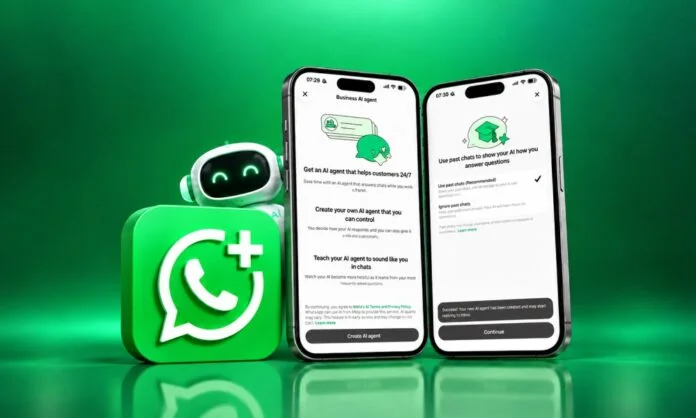
WhatsApp has become more than a messaging app today. Be it texting your friend, sending an invite to family, any office related work, WhatsApp is the first choice. The platform’s popularity has kept rising; it is expected to reach 3.5 billion users by the end of 2026.
Beyond simple communication, WhatsApp is becoming a business platform for promoting businesses, from small to large. A crochet business or homemade cakes, and beyond, WhatsApp has become a source for boosting sales and communication no matter what.
Companies gaining traction aren’t the ones typing faster; they’re the ones deploying AI agents that help customers from start to finish. That is where WhatsApp Business messaging comes in. And Feather Cap is setting up AI agents for it. In this blog, we will explore AI agents for WhatsApp Business messaging so you can line up your next business goal right away.
What is WhatsApp Business Messaging?
WhatsApp Business messaging is a platform that lets you communicate with customers through messaging. Unlike WhatsApp’s common messaging platform, which lets you communicate with friends, family, and people you may know, it lets you communicate with customers.
Business messaging aims to help you achieve your goals by using conversations that deliver a personalized, rich experience and boost the buyer journey. It can support customer service, boost sales conversations, notifications, and more.
The New Way: WhatsApp Business Tools MCP
Setting up AI agents for WhatsApp Business messaging previously meant juggling with the Developer Console, API reference, Business Manager, and your code editor. However, that heavy setup is now easy with WhatsApp Business Tools MCP.
It’s an MCP (Model Context Protocol) server that connects to your Service Provider AI agents, such as Claude, ChatGPT, Codex, and Cursor, to the WhatsApp Business Platform that is integrated into your workflow. The process is simple: share what you want, and the agent handles the rest.
How Can AI Agents Help You Set Up WhatsApp Business?
1] Setup through Conversation: According to Meta, the AI agent can handle most of the busy work through conversation. Ask the agent to setup WhatsApp Business messaging and it can:
- Create your WhatsApp Business account
- Add and verify phone number through OTP
- Register the business for access to the Cloud API
- Check the business’s Terms of Service
2] Create and Edit WhatsApp Templates Easily: Describe the message template you need, and the AI agent can create it or edit the existing one and take you to its approval process.
3] Test messages and webhooks: Send a message from your registered mobile number to validate the integration from end to end. Also, configure callback URLs and field subscriptions without misinterpreting them.
4] Early Requirements: Terms of Service, payment methods, and business verification usually fail. When you set up an AI agent for WhatsApp Business, it verifies them first and connects you to any gaps.
5] Automate Customer Conversations: Once you configure AI agents for WhatsApp messaging, they can handle most of the repetitive conversations.
For example: A customer can ask about:
“What is the product price?”
The AI agent can check product pricing and provide available information, including discounts, availability, and more.
In the same way, customers can ask about:
- Shipping details
- Product availability
- Return policies
- Pricing
How to Optimize AI Agents for WhatsApp Business Messaging? Quick and Powerful Ways
- Keep Messages Short: Most WhatsApp users prefer short, precise messages. So, keep AI responses to 2-3 sentences per message. If the answer needs more detail, split it into multiple messages or link to a detailed page.
- Quick Replies: WhatsApp users prefer quick responses. Focus on optimizing your AI agent for faster message response speed. If your AI takes more time to reply, the customer may not wait.
- Focus on Multimedia: Add multimedia aspects such as a photo of a service product, a PDF, a video, or a location on Google Maps. It makes WhatsApp responses helpful, so train your AI models accordingly.
- Provide Human Escalation: AI agents should know which conversations need human support. For complex questions, issues, or complaints, the AI agent should transfer the conversation to a human assistant rather than giving improper responses.
Key Privacy Considerations to Keep in Mind
It’s essential to maintain a proper layer between your AI agent and WhatsApp Business messaging. If they are not secure, nothing else matters. Below are some of the important considerations to follow:
- GDPR Compliance: For businesses operating in the EU, GDPR applies to all WhatsApp conversations. This means you should collect only required data, provide clear policy notices, maintain records, and more.
- User Opt-In: It is necessary to get prior consent from customers before starting automated AI agents for messaging.
- Message Accuracy: AI-generated responses should be based on trusted business information. Incorrect product details, prices, or order-related information can frustrate customers.
How Can You Get Started?
Getting started with AI agents for WhatsApp Business is easy. Firstly, add the server to your agent’s MCP configuration, sign in when prompted, and simply ask your AI agent to set up WhatsApp Business Messaging for you.
The MCP server is currently available on Codex, Claude, and ChatGPT. When choosing the Meta MCP server, you can use Meta Social Technologies for MCP to find Graph API endpoints, fix errors, and search for documents. Further, use WhatsApp Business Tools MCP for WhatsApp accounts, phone numbers, webhooks, and test messages. Another point is that Meta Business Messaging MCP is rolling out and may not be available to everyone.
Wrapping it Up!
Setting up AI agents for WhatsApp Business messaging is definitely worth it. It makes tedious work easier and faster. However, it is also important to meet the privacy requirements for a safer experience. Hope this blog has helped you understand how AI agents simplify WhatsApp Business setup.
If you want to achieve your business goals on WhatsApp, AI agents can help you by providing customer support, enhancing routine operations, and even boosting sales.
Read more informative blog posts on our website.
FAQs
1] Is WhatsApp Business messaging with AI agents secure?
Answer: Security depends on the AI agent, WhatsApp integration, and how connected systems are configured. Businesses must use proper access controls, protect customer data, review AI-generated messages, and follow the right WhatsApp and privacy requirements.
2] Which AI agent is best for WhatsApp?
Answer: The best WhatsApp AI agent depends on whether you need a built-in consumer tool or a business automation platform.
3] Does WhatsApp have AI agents?
Answer: Yes. WhatsApp has a built-in AI agent called Meta AI.
Recommended For You:
Signal Private Messenger VS WhatsApp Messenger
Arattai vs WhatsApp: Understanding Key Features and User Advantages