
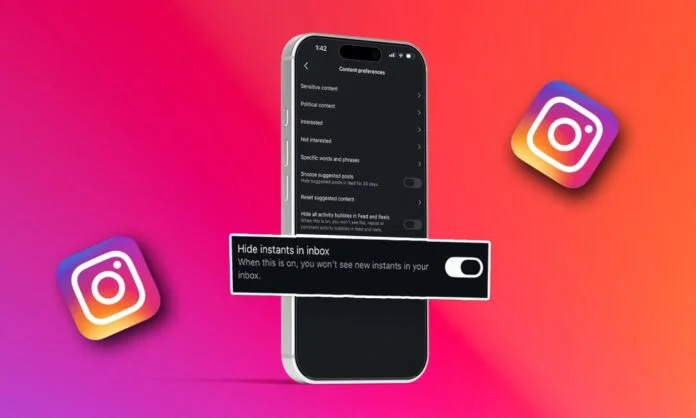
The popular social media platform Instagram unveiled the Instants feature on May 13, 2026, allowing users to share spontaneous, unfiltered photos with friends. Instagram is also testing Instants as a standalone app in select nations to make camera access quicker and simpler.
However, the feature received mixed reactions from users globally, leading to accidental posts and unwanted embarrassment. Many have also raised questions on privacy concerns over no confirmation before picture upload. As a result, users around the world tried to disable the feature to avoid unwanted embarrassment.
In the blog, we will provide a step-by-step guide to turn off Instagram Instants, more about the new feature, how it works, and why users are not liking the latest feature. Let’s get started…
What are Instagram Instants?
Instants on Instagram allow users to ‘share in the moment’ with mutuals or close friends. These are just everyday photos that disappear once your friends view them. Instants last for 24 hours and are saved in the archived section for those who share them.
The photos appear in the bottom right corner of the inbox on Instagram. You can share photos just by clicking on the camera. No edits required, you just click it, and the photo is directly shared with your close friends and your followers whom you follow back.
You can undo Instants to delete unwanted photos to be delivered to your friends. Along with that, the photos are automatically saved to your private archive section. Later, you can merge instants from archives and share them as stories by clicking ‘Create recap.’ Your friends can even react and reply to your instants. Additionally, you can snooze Instants if you want to temporarily stop seeing the photos.
How Does the Feature Work?
You can start using Instants following a few simple steps-
- Go to the inbox of your Instagram and click the mini photo stack at the bottom right corner.
- You can include a caption to your instant, but before clicking the photo, as you can’t edit instants.
- You can choose who to share your instants with, including Close Friends or the followers you follow back. Users you share your Instants with can react to and reply to your photos.
- You can share instants as many times as you want by clicking the white button below the camera. Instagram also allows you to quickly take Instants back through an undo button that automatically appears when sharing an instant.
- Your instants will appear as a stack of photos in the bottom right corner of your friends’ inboxes. These photos will disappear after 24 hours and once viewed.
Why Are Users Disliking the Feature?
People across social media platforms, especially Reddit, have expressed confusion and worry about Instants. Instagram has introduced the feature as a casual one, but it has caused discomfort among users. Users showed concerns about having limited control over the feature and its instant sharing approach.
Instants do not allow for editing, previewing, and adjustments in the photos. Users just have to capture a photo, and it will be shared with their friends. This approach caused accidental uploads, bringing unwanted embarrassment to the users. Additionally, Meta has recently removed end-to-end encryption from Instagram chats, and the sudden introduction of Instants has made users more anxious about their privacy.
All these factors collectively contributed to the users’ negative reaction to the new feature. As a result, there was a surge in searches for tutorials on how to turn off Instagram Instants.
How to Turn Off Instagram Instants?
Users can turn off Instagram Instants completely to avoid sudden uploads of unwanted photos. Here are the steps to follow-
- Open Instagram.
- Go to your profile.
- Tap on the three horizontal lines in the top right corner to open Settings.
- Click on Notifications.
- Tap Instants.
- Select the Off box.
Following these steps will disable Instants for you. Notably, you cannot see others’ Instants as well once the feature is turned off.
Wrapping Up!
Instagram Instants aim at simplifying in-the-moment sharing with friends. However, the feature’s no-preview, no-confirmation approach has caused confusion and anxiety among users. Sudden embarrassment, unwanted uploads, and accidental shame, users across the globe have used many tags to express their discomfort with the feature.
Under such circumstances, it will be interesting to see how successful Instagram’s plan to introduce Instants as a standalone application becomes following the ongoing backlash.
YourTechDiet focuses on making breakthrough tech information easily available for global readership. Follow our blog updates and stay aligned with the evolving technologies.
FAQs:
1. Are Instants on Instagram for everyone?
Answer: Yes, Instants on Instagram is available for everyone globally. However, your instants can only be viewed by the ones you follow, who follow you back, or the accounts on your close friends list.
2. Can you see who viewed your Instagram Instants?
Answer: No, you cannot see who viewed your Instagram Instants.
3. Can you rewatch Instants on Instagram?
Answer: No, you cannot rewatch Instants on Instagram. These are available for 24 hours only and disappear once viewed.
Recommended For You:
A New Instagram Feature ‘Ask Questions’ has taken the World by Storm!
How Meta AI on Instagram Helps You Create Images, Modify Texts, And More